
Add-ons built by a trade business, for
We run a trade business on ServiceM8 and kept hitting the same gaps. So we built eight add-ons to fill them, and they run in our business every day.

Plan Takeoff
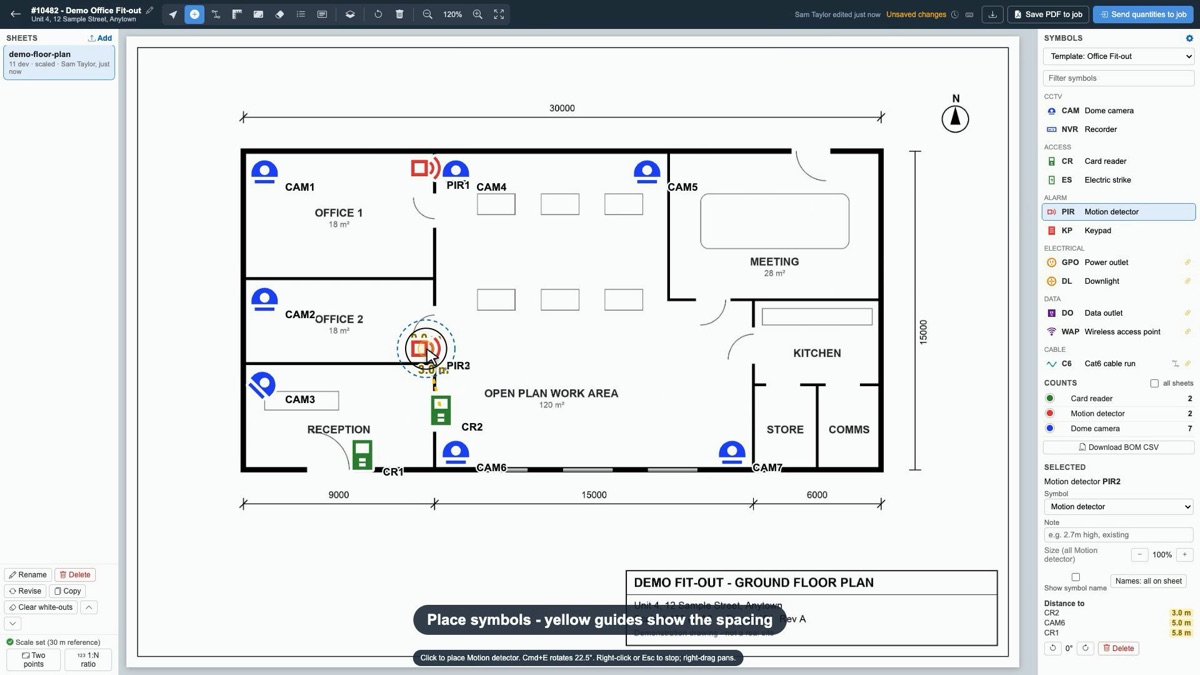
EstimatingDo your takeoff on the floor plan, inside ServiceM8, and send the quantities straight to the job.
- Upload PDF or image floor plans, set the scale and click to place devices.
- Yellow guides show the distance to the nearest device, and cable runs are measured as you draw.
- Over 200 built-in symbols, each linked to a ServiceM8 material, with templates for each type of job.
- Revise swaps in a new drawing and keeps everything you plotted. Compare shows what changed.
- Save the marked-up plan to the job as a PDF and send the quantities to billing at your prices.

Projects
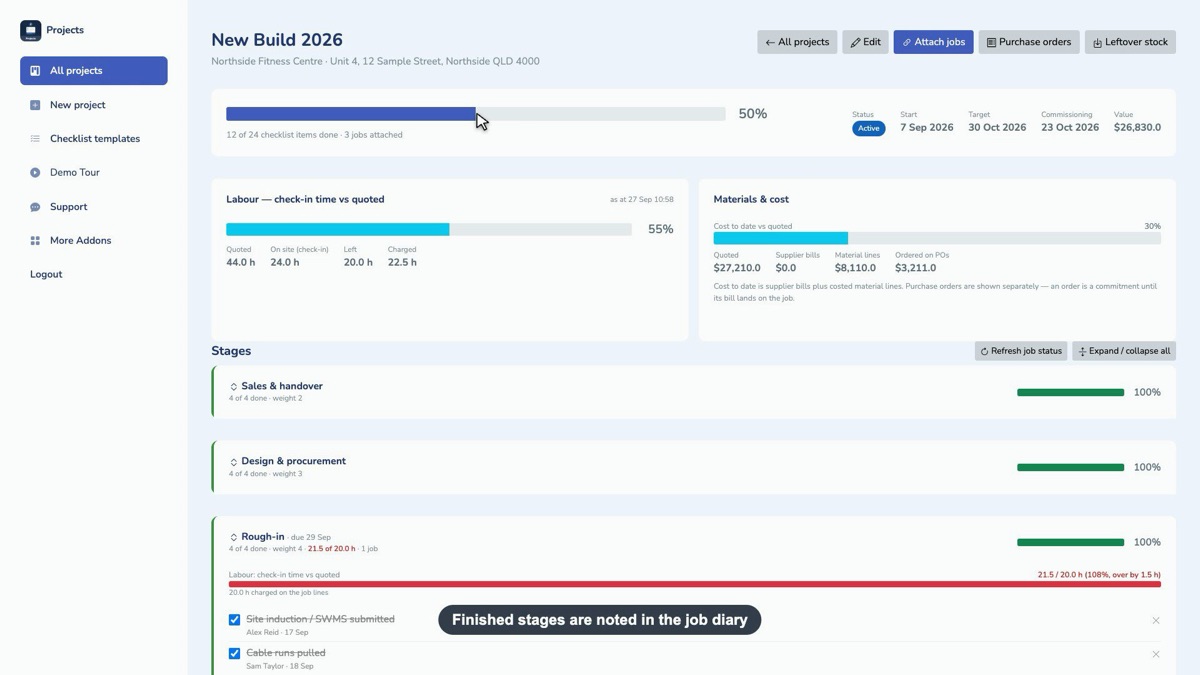
Project trackingGroup the jobs for one install into a single project, so bigger jobs are tracked in one place instead of across a dozen job cards.
- Start from an existing job number. Client, site and category come straight across.
- Staged checklists with one progress bar, weighted by how big each stage is.
- Labour: check-in time against quoted hours for each stage, with overruns in red.
- Materials: quoted, ordered on purchase orders, and cost to date against the quote.
- Finished stages are written to the job diary so the office sees it in ServiceM8.
Customer Portal
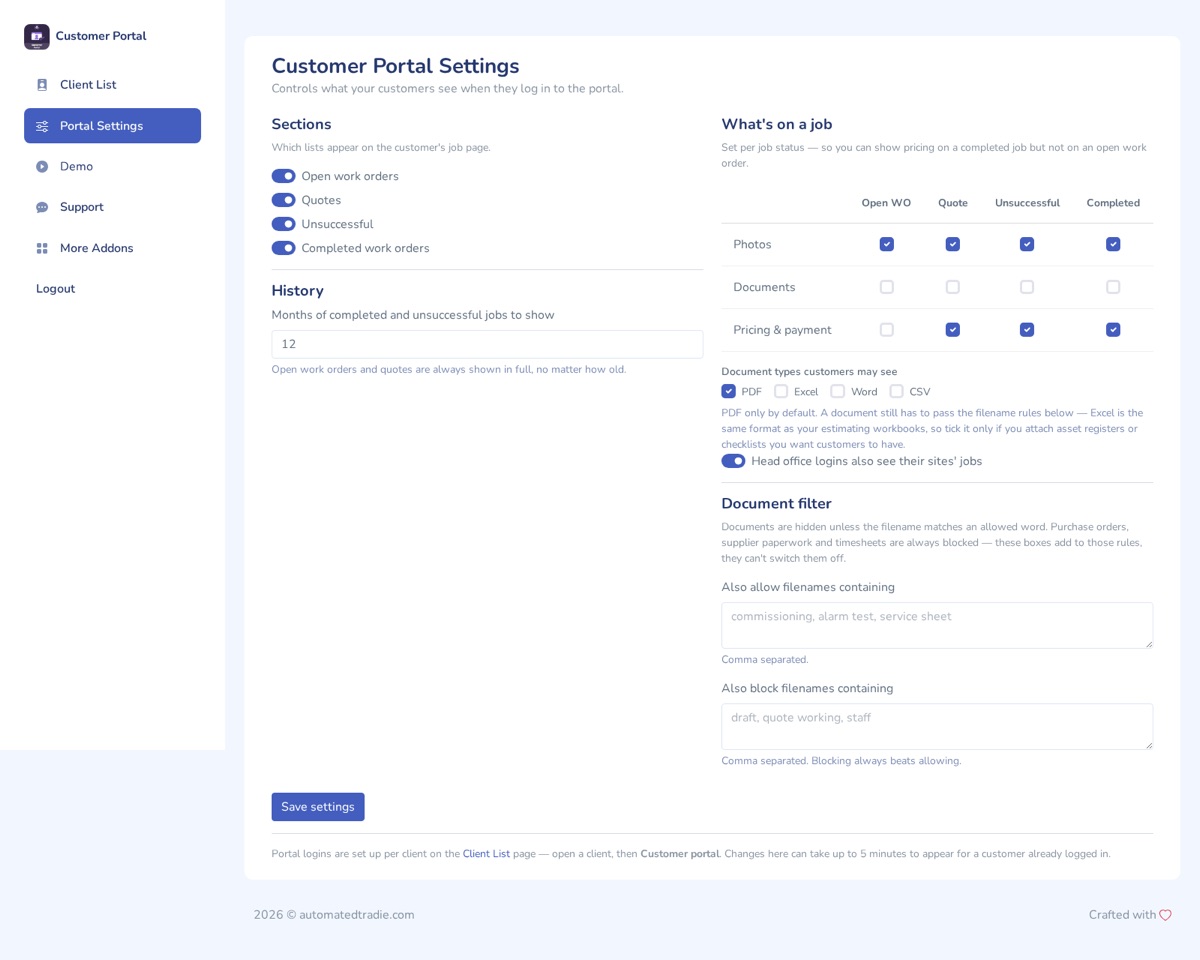
CustomersGive each customer their own login to see their jobs, photos, documents and invoices without ringing the office.
- Jobs grouped into open work orders, quotes and completed, with search by job, site or PO number.
- Choose what shows for each job status, such as pricing on completed jobs but not on open ones.
- Documents are off by default. Purchase orders, supplier paperwork and timesheets are always blocked.
- Head offices get one login that covers all their sites.
- Preview exactly what a customer will see before you send their login.

Team Chat
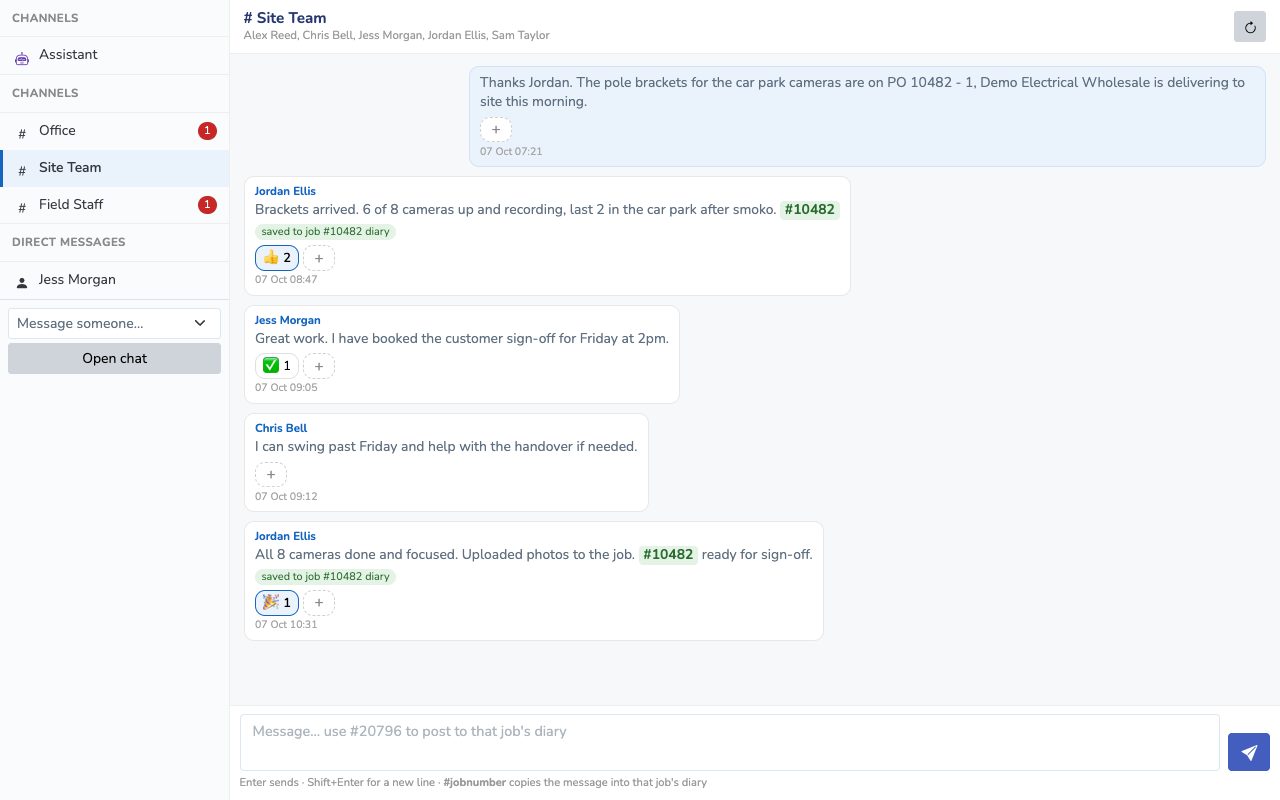
StaffGroup and one-on-one chat for your staff inside ServiceM8, with an AI assistant your techs can ask from site.
- Type a job number like #10482 in any message and it is saved to that job's diary, under the name of whoever wrote it.
- Channels for the office, site teams and field staff, plus direct messages, reactions and unread badges.
- The assistant reads the job, its diary and attachments, and searches your manuals to answer tech questions.
- It can draft emails and texts, which only go when the tech says send.
- Pop it out into its own window, or use it on a phone. No separate app to install.
Purchase Orders
SuppliersRaise supplier purchase orders straight from a ServiceM8 job, and keep track of what has been ordered and received.
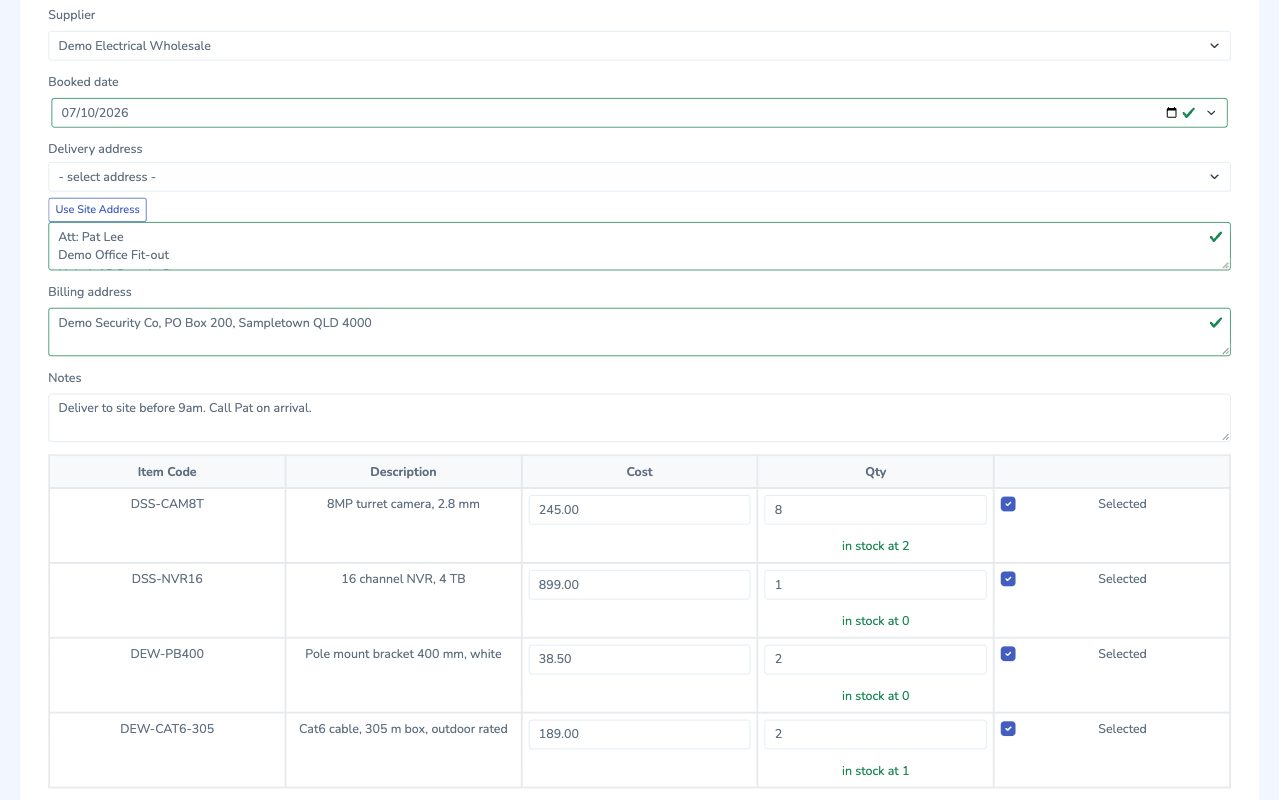
- Add materials from your ServiceM8 price list, with stock on hand shown for each line.
- Use the site address as the delivery address in one click, and tick the lines you want to order.
- Generate the PO as a PDF, or generate and email it to the supplier in one step.
- Past purchase orders for the job show as emailed or received.
- Works with Projects, which lists every order for a project's jobs in one place.
Stock Management
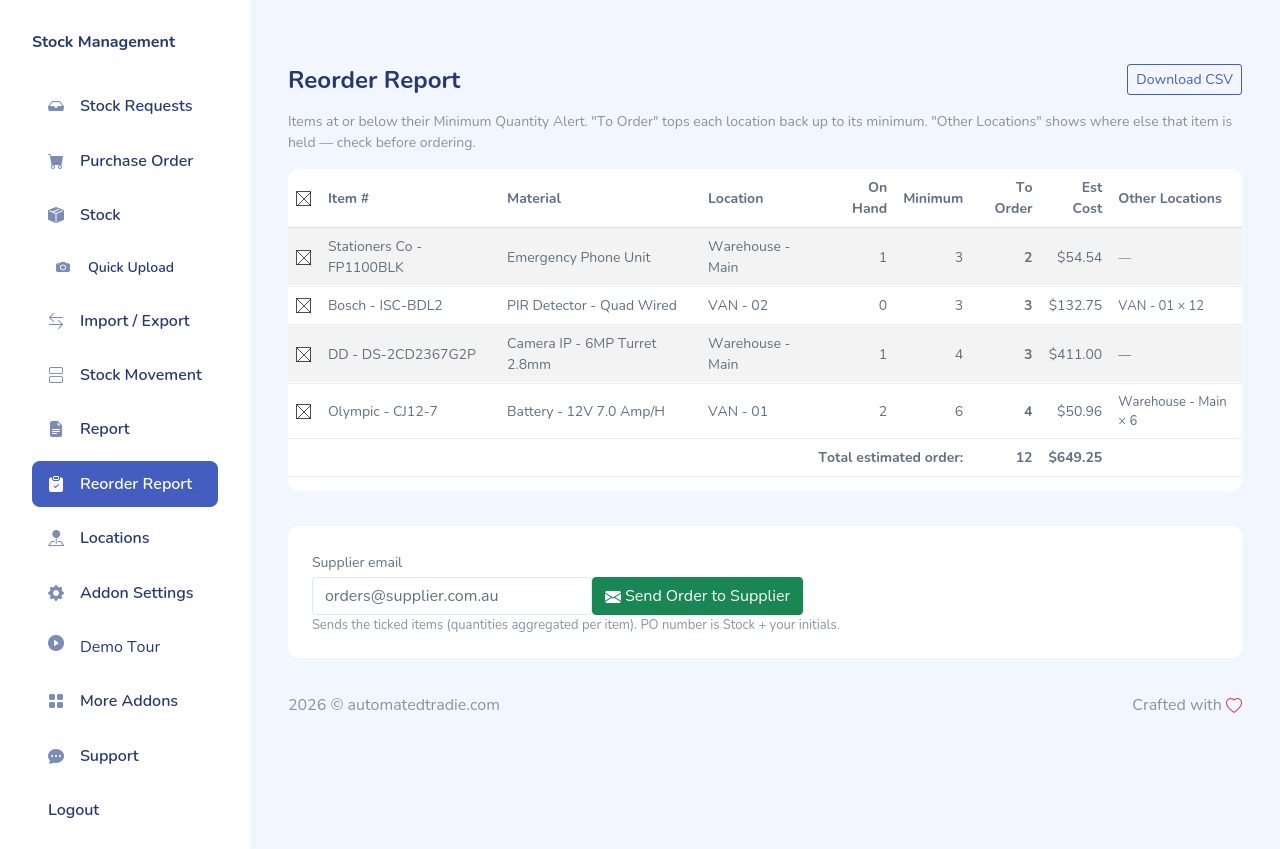
InventoryKnow what stock is in each van, ute and warehouse, and reorder before you run out.
- Techs tap the quantity they used on their phone and submit. Stock comes off their van.
- A location for every van, ute, warehouse and contractor, each with its own stock levels.
- Reorder report lists everything below its minimum, shows where else it is held, and emails the order to your supplier.
- Stock requests, transfers between locations and a full movement log, so every item is accounted for.
- Import and export your stock list, and put leftover stock back into a location when a project closes out.

Marketing Manager
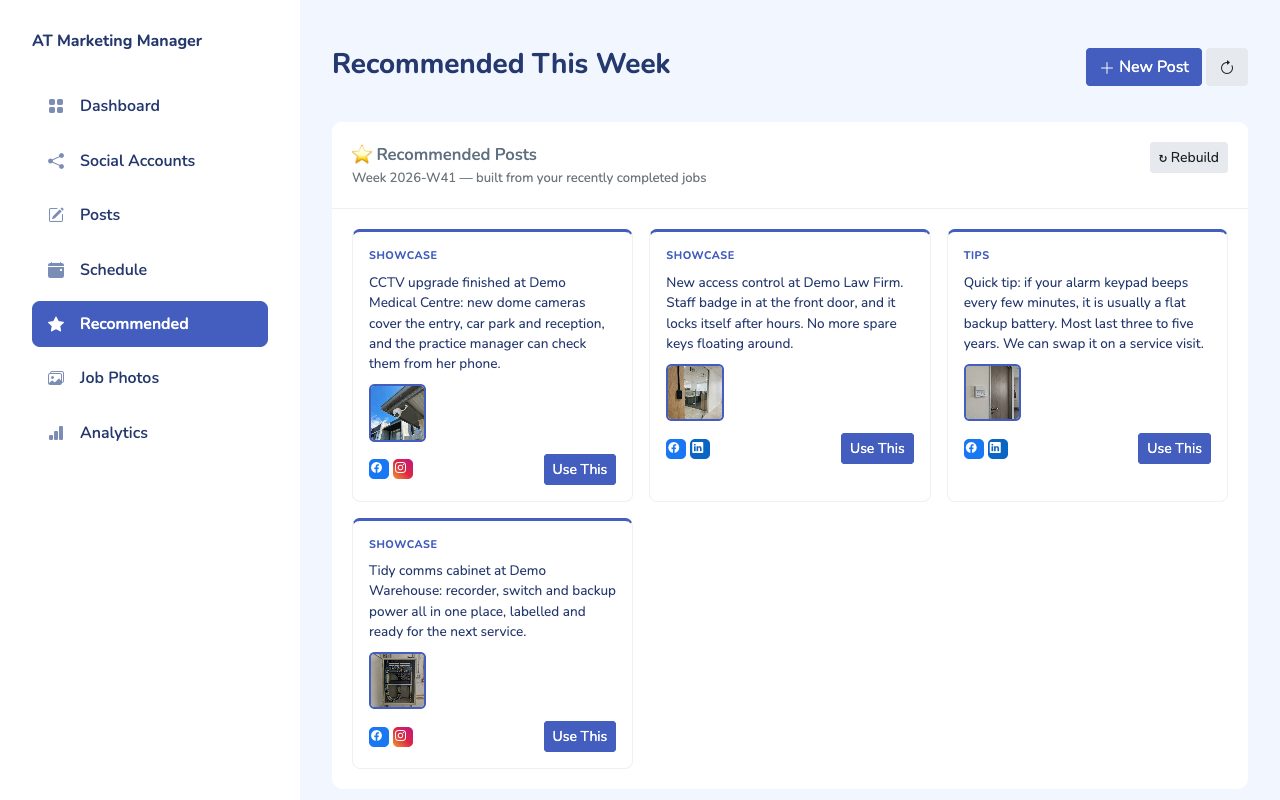
Social mediaTurn completed jobs into Facebook and Instagram posts, with captions written for you.
- Recommends a handful of posts each week, built from your recently completed jobs and their photos.
- Captions are written by AI from the job details, so the words match the photos.
- Schedule posts on a calendar across your social accounts.
- Nothing is published until you schedule it or press publish.

Auto Form Emails
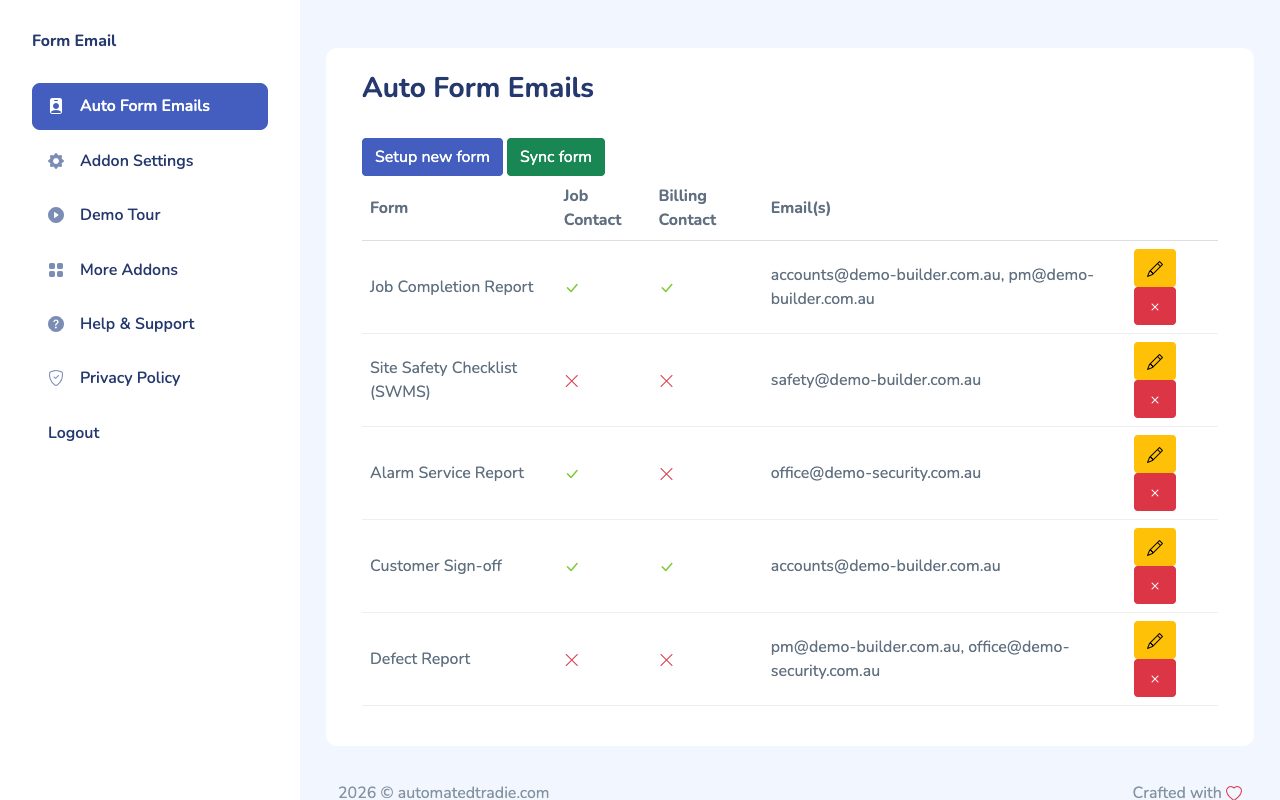
PaperworkCompleted forms and checklists are emailed to the right people as soon as the tech submits them.
- Set a rule for each ServiceM8 form, such as completion reports, safety checklists and sign-offs.
- Send each one to the job contact, the billing contact and any other addresses you add.
- No one in the office has to find the form and forward it.
Want these in your ServiceM8?
Automated Tradie members get every add-on installed and set up as part of the service. Interested in just one? Email us with the add-on you're after and how many staff use ServiceM8.